 Booksmarky
Save from any page
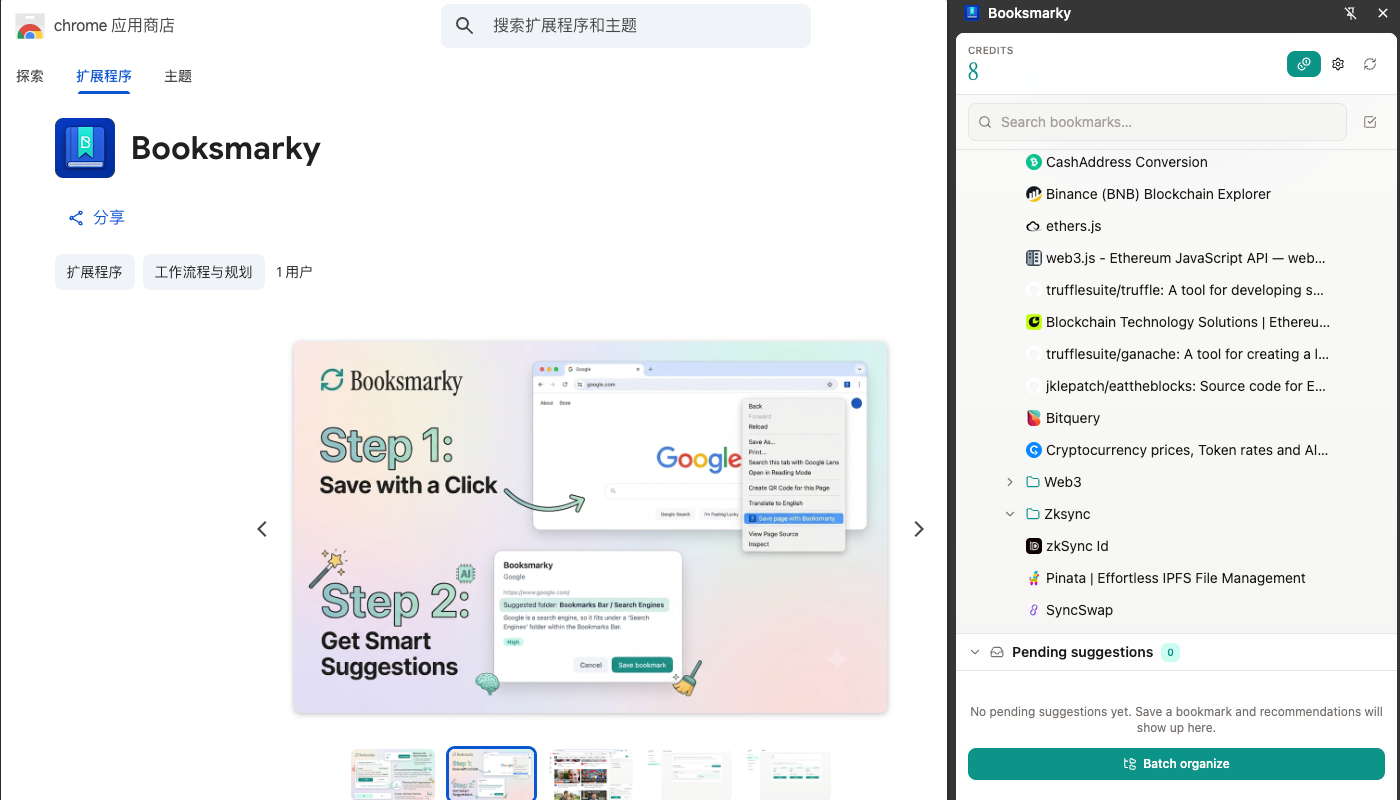
Right-click to save with context. Booksmarky reads the page, suggests a folder, and lets you confirm before the bookmark is stored.

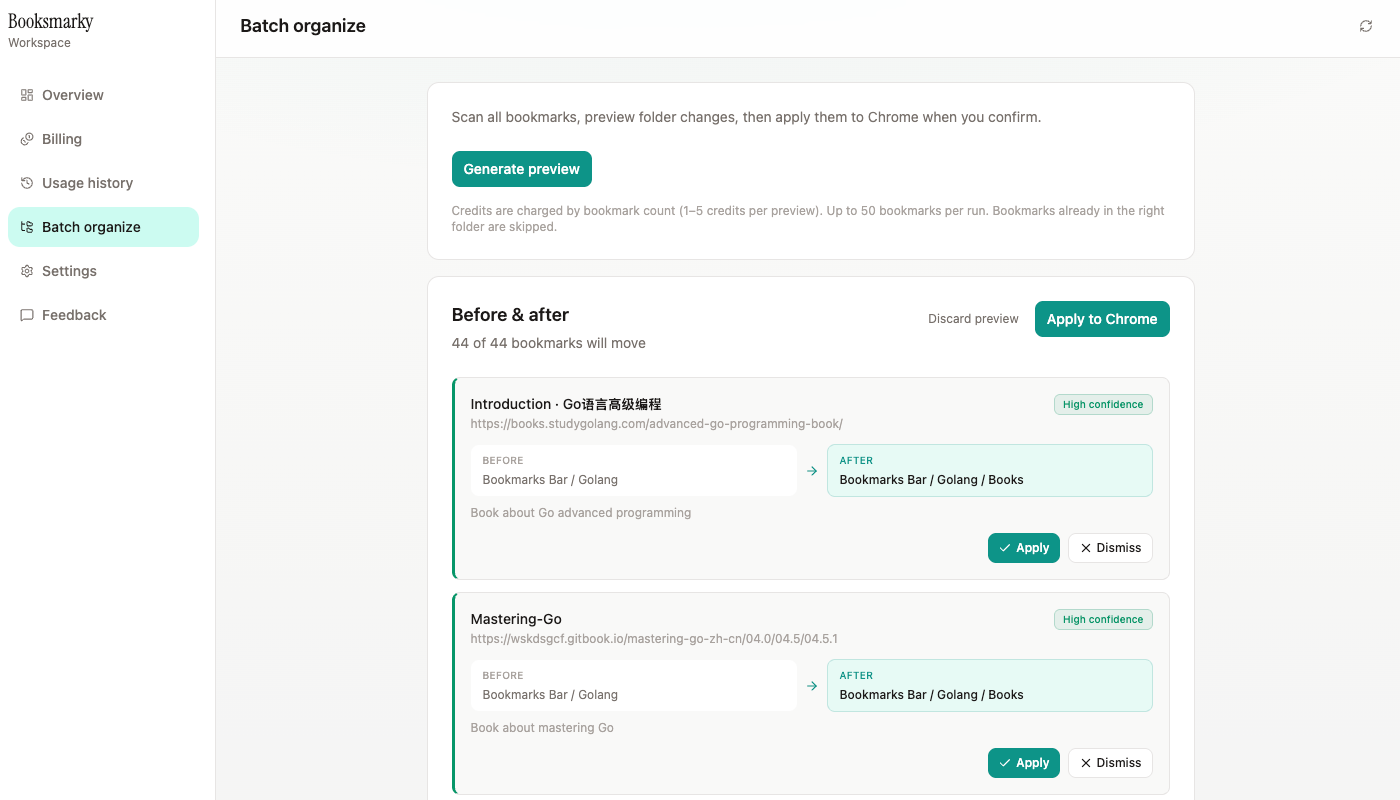
Booksmarky analyzes each page you save and suggests a folder. Nothing moves until you review, apply, or dismiss. Batch organize mode scans existing bookmarks the same way.
Free to install · 20 welcome credits · Pay only for AI analysis you use

AI suggestions fit into your normal browsing flow. Chrome bookmarks always stay under your control.
Right-click to save with context. Booksmarky reads the page, suggests a folder, and lets you confirm before the bookmark is stored.
New bookmarks stay in place until you act. See the recommended folder, confidence level, and reason — then apply or dismiss when you are ready.
Select bookmarks or entire folders, generate a before-and-after preview, and apply moves to Chrome only after you confirm.
Credits power AI folder analysis. Purchase packages inside the extension via Creem checkout. No subscription — top up when you need more.
Starter 100
100
credits
$4.99
$1.99
Builder 300
300
credits
$9.99
$3.99
Power 1000
1000
credits
$24.99
$9.99
Last updated:
Booksmarky is a Chrome extension that helps you organize bookmarks with AI-powered folder suggestions. This policy describes what data is processed when you use the extension and our API at booksmarky-api.fly.dev.
Credit ledger entries are retained for billing and support. API requests are rate-limited. Communications with our server use HTTPS. You can clear your local extension session from the extension settings.
You can uninstall the extension at any time. To request account deletion or ask privacy questions, contact us at the email below.